
QuickTakes Redesign
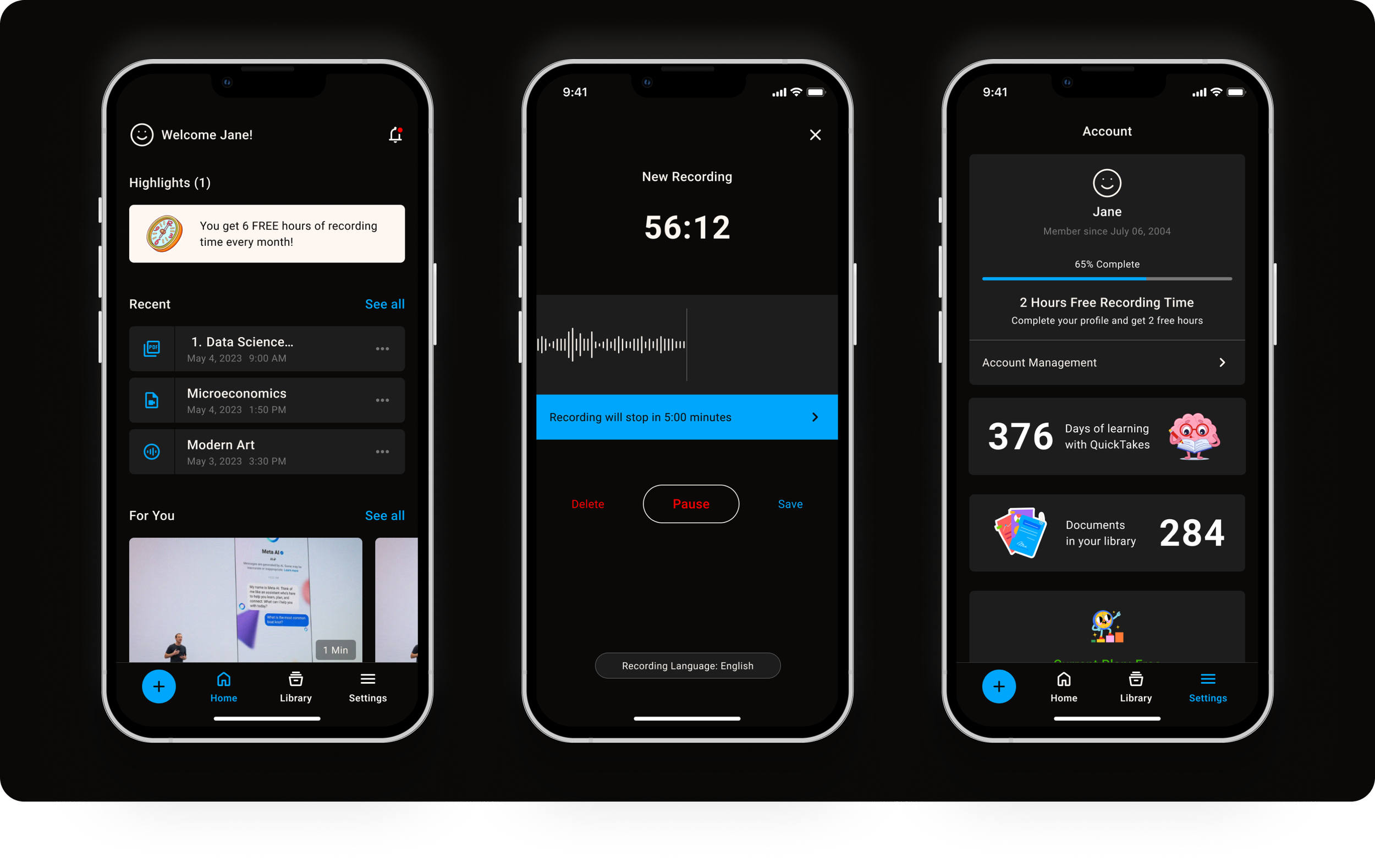
Results
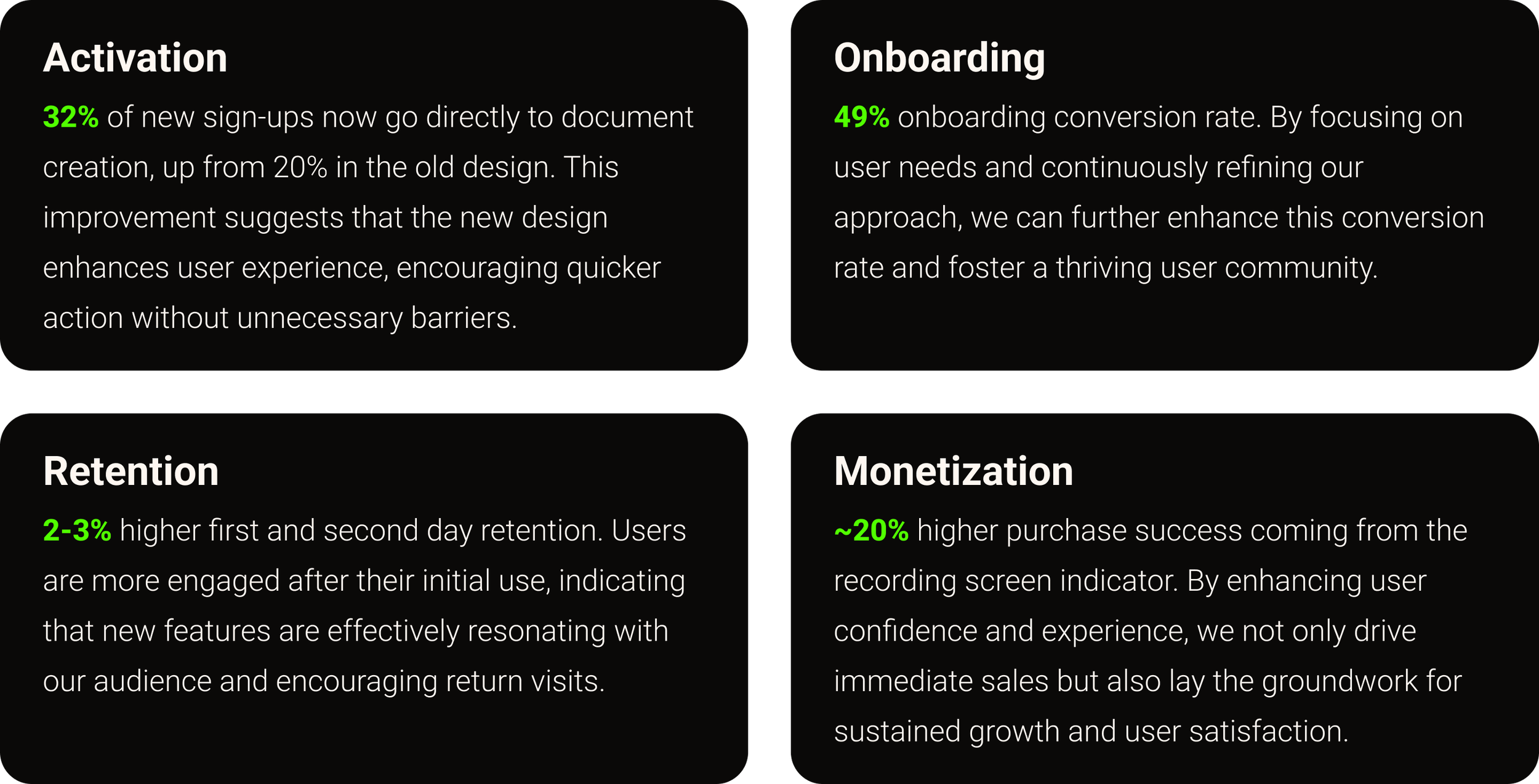
The redesign boosted activation, streamlined onboarding, improved early retention, and increased purchase success — creating stronger engagement and growth across the student journey.
QuickTakes
QuickTakes began as a lecture recorder that used AI to transcribe classes. While transcripts were useful, students needed more than text. They wanted to upload course materials and receive AI-powered support like flashcards, quizzes, summaries, and contextual resources such as YouTube videos. To stay relevant as AI advanced, the product needed to evolve into an active learning assistant, scale to support richer study workflows, and undergo a redesign to refresh the look and feel in line with its new vision.
Business Goals
QuickTakes needed to expand beyond simple transcription and position itself as a scalable AI learning assistant. The goals were to increase engagement and retention by making AI outputs actionable, introduce features that could grow with student needs (document uploads, problem-solving tools), and refresh the brand to align the look and feel with the product’s evolving vision.
User Problems
Students found raw transcripts overwhelming and time-consuming to navigate. They lacked tools that could help them actively solve problems, prepare for exams, or collaborate with peers. The platform also limited input options, with no way to upload documents, and the overall design felt outdated compared to modern AI-driven learning tools.
Role
Lead Product Designer
Timeline
6 months
Team
Collaborated with 1 PM, 6 engineers, and a 2 Product designers

Research & Insights
Student interviews and product audits showed that raw transcripts were overwhelming and not actionable. Learners wanted to upload course documents, get AI-generated study aids like flashcards and quizzes, and access contextual resources such as related videos. Trust was also a recurring need, with students wanting clarity on how AI outputs were generated.
“How might we evolve QuickTakes from a passive transcriber into an AI-driven study assistant that provides instant support, showcases its intelligence, and scales with student needs?”
Exploration and Information Architecture
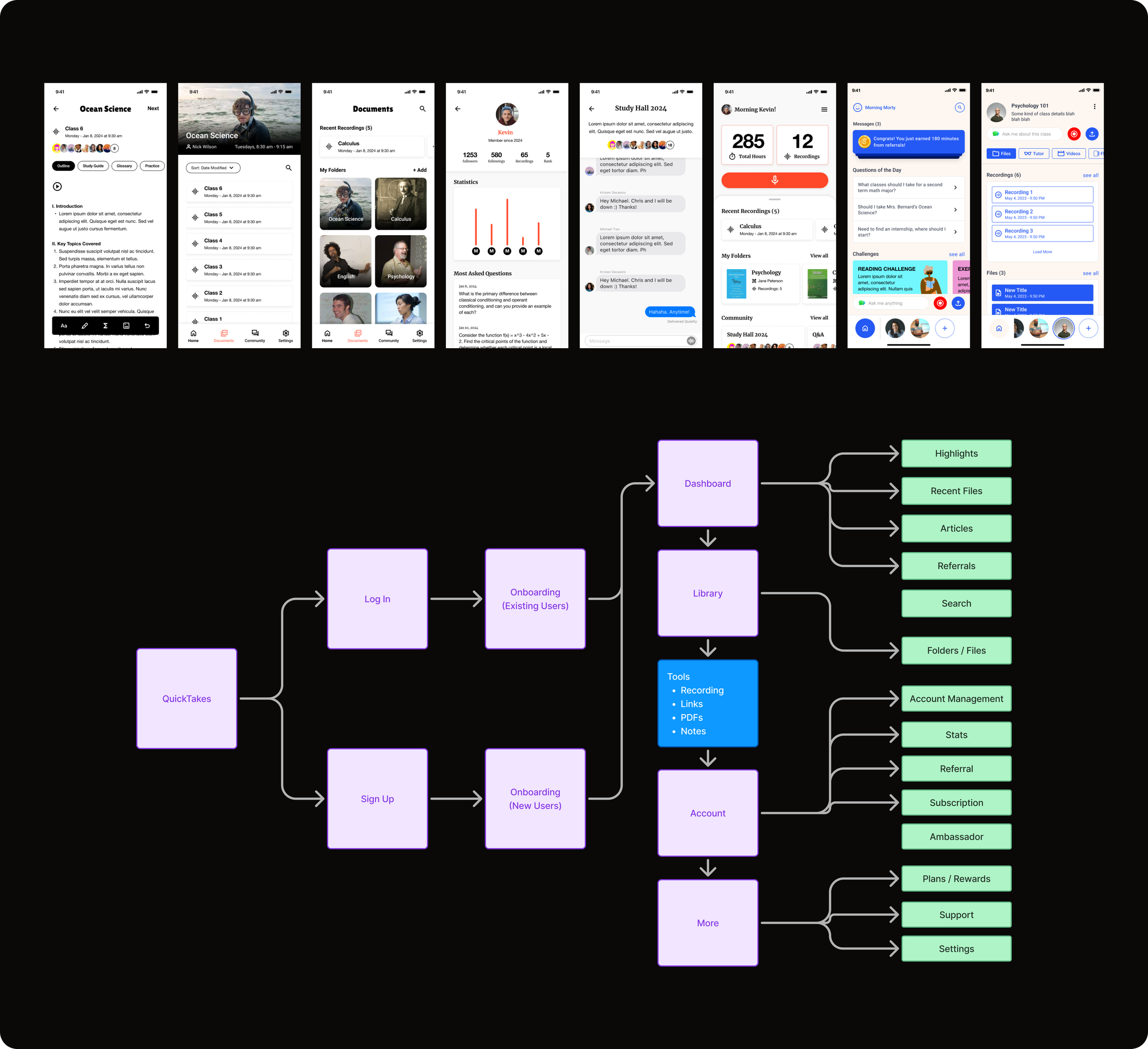
Evolving the Brand and Architecture for an AI-First Experience
The original design reflected QuickTakes’ role as a simple recorder. As the platform expanded into AI-powered study tools, the brand and architecture were redesigned to highlight intelligence, support scalability, and create a modern look and feel aligned with an AI-first learning experience.managing finances.
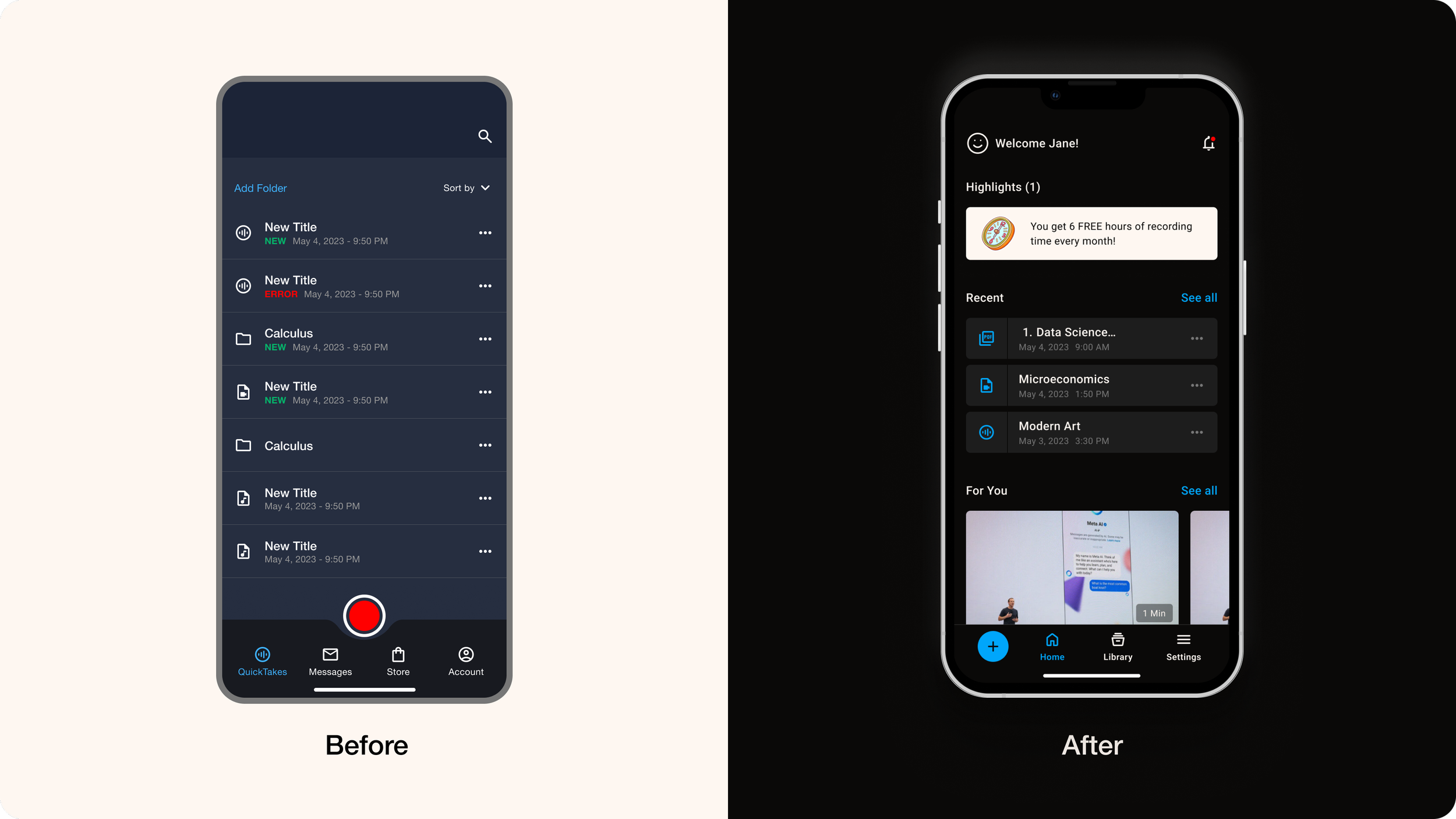
Design System
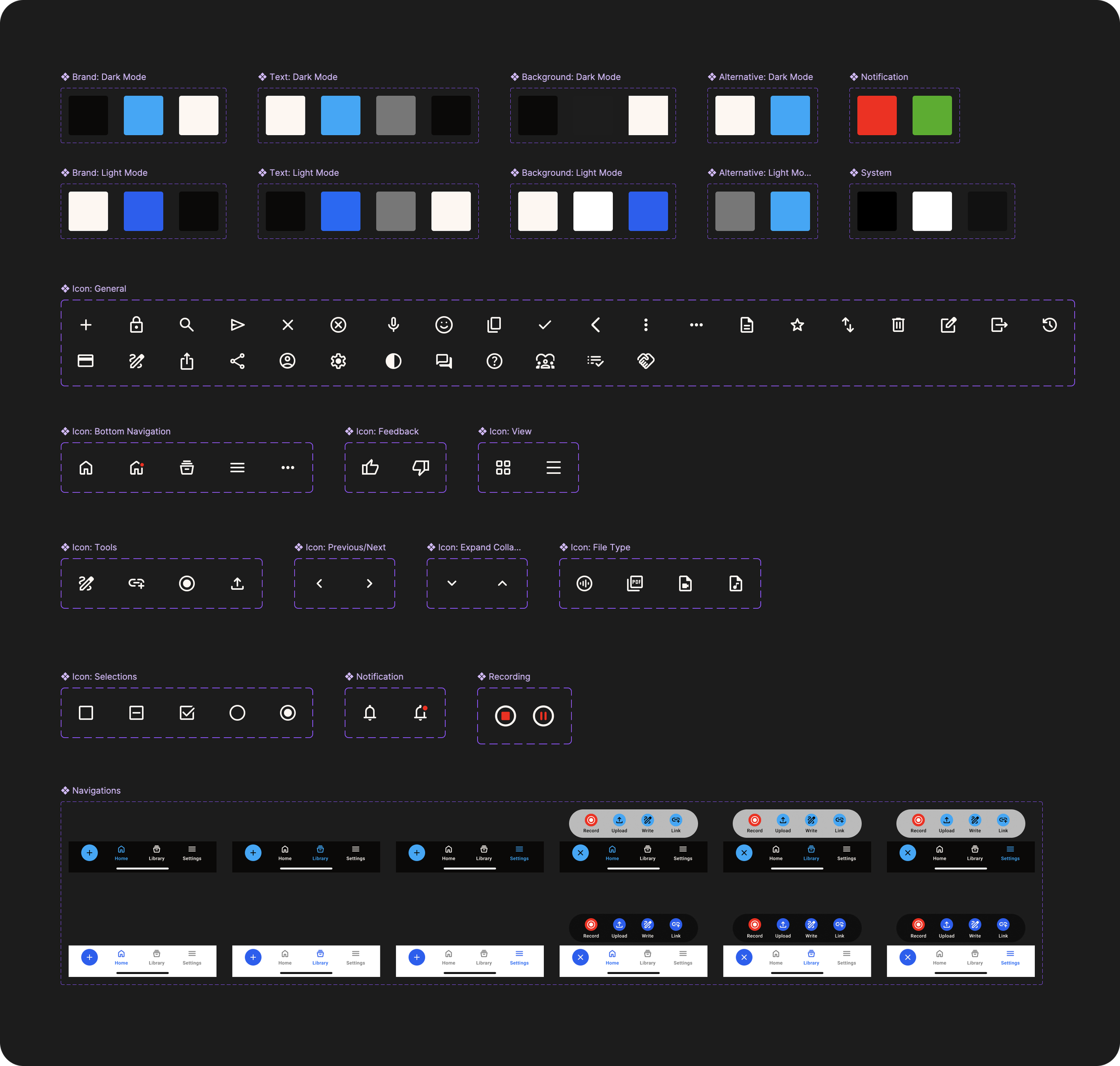
A scalable design system was created to ensure consistency and speed. It introduced reusable components, standardized patterns, and support for both dark and light modes, giving students flexibility while keeping the brand cohesive as new features are added.
AI-Powered Tools for Smarter Learning
Multiple ways to connect content
Record lectures, upload files, pull from external links, or type directly — giving students flexibility and richer inputs for AI.Seamless live recording
Record lectures in the background while continuing to use the app — fitting naturally into classroom workflows.Playback and review
Replay recordings with transcripts, timestamps, and AI highlights to revisit key concepts and clarify misunderstandings.AI-generated study tools
Flashcards, quizzes, summaries, and contextual resources created instantly to transform raw content into actionable learning.
Onboarding for Relevant Learning
Onboarding focuses on understanding a student’s reason for studying. If no personal content is uploaded yet, QuickTakes suggests relevant podcasts, articles, and videos tied to their subject area. As students continue to add their own recordings and documents, the AI adjusts and personalizes study tools like flashcards, quizzes, and summaries based on their evolving materials.
User Testing & Research
After the revamp, user testing was conducted to evaluate usability and gather feedback, focusing on how easily students could navigate the app, engage with its features, and recognize its overall value.
Onboarding
Pros: Students were open to sharing their school and major if it meant a more customized experience.
Cons: Some hesitated due to concerns about institutional policies around AI, while others were undecided or had multiple majors, making customization less clear.
Home & Library
Pros: Students understood the layout, could navigate files effectively, and recognized different file types (PDFs, recordings, videos).
Cons: One tester noted that the highlighted section looked more like marketing content than learning resources.
Pricing
Pros: Students valued the chance to try the app before committing, which compared favorably to competitors requiring upfront payment.
Cons: The price point was seen as too high for students, raising concerns about affordability.
Results After Launch
The redesign boosted activation, streamlined onboarding, improved early retention, and increased purchase success — creating stronger engagement and growth across the student journey.
What’s Next
The next step for QuickTakes is to evolve from an AI-powered study assistant into a true AI Assistant. Instead of only generating study tools, the platform could guide students through their learning journey — answering subject-specific questions, recommending practice paths, and offering personalized coaching moments.
Community is another key opportunity. By connecting students from the same class, QuickTakes could enable shared study sessions, peer discussions, and access to answers contextualized by course content and even specific professors. This combination of personalized coaching and collaborative learning would position QuickTakes as not just a tool, but a companion that helps students learn smarter together.